
The right apps can save you hours every week at university: notes that are searchable, a calendar that reminds you of every deadline, flashcards that schedule your revision, and a reference manager that formats your bibliography. The good news is that most of the best tools are free, or free for students.
This guide lists the most useful apps for university students in 2026, sorted by what you need them for, with a note on which ones cost money. Most work on Android, iPhone and the web.
Notes and organisation
- Microsoft OneNote: free notebooks with sections and pages, handwriting on tablets, and audio recordings. Many universities provide Microsoft 365 through your student account.
- Notion: notes, to-do lists, databases and wikis in one place. Very flexible, good for course pages and group projects. The free plan is enough for most students, and there is an education plan for students.
- Google Keep or Apple Notes: quick notes, checklists and photos of the whiteboard, synced across your devices.
- Obsidian: free notes in plain text files on your own device, with links between notes. Popular with students who build up knowledge over several years.
Calendar, tasks and focus
- Google Calendar or Outlook: put every lecture, exam and deadline in one calendar with reminders. Import your timetable if your university offers a calendar feed.
- Todoist or Microsoft To Do: task lists with due dates and priorities. Break every assignment into small steps with their own dates.
- Forest: a focus timer that grows a virtual tree while you leave your phone alone. It fits well with the Pomodoro technique.
- Focus modes on your phone: the built-in Focus (iPhone) and Digital Wellbeing (Android) settings silence distracting apps during study time, for free.
For more planning strategies see Mastering Time Management: Essential Digital Tools and Strategies.
Revision and memory
- Anki: free flashcards with spaced repetition, which shows each card just before you would forget it. Free on desktop, Android and the web; the iPhone app is a one-time purchase. Read why it works in The Power of Spaced Repetition.
- Quizlet: easy flashcards and quizzes, with millions of shared sets. Some study modes require a paid plan.
- Khan Academy: free videos and exercises for maths, science, economics and more. Ideal for filling gaps from school.
Flashcards are a form of active recall, one of the most effective ways to study.
Maths, science and coding
- Desmos: a free graphing calculator in the browser and as an app. Plot functions, explore sliders and check your sketches.
- GeoGebra: free geometry, algebra, 3D and statistics tools.
- Wolfram Alpha: computes integrals, derivatives, unit conversions and statistics. Step-by-step solutions need a paid plan; use them to check your work, not to replace it.
- GitHub Student Developer Pack: free access to developer tools, including GitHub Copilot, for verified students.
More tools for numbers are in our list of mathematics apps for students.
Writing and research
- Microsoft 365 or Google Docs: Word, Excel and PowerPoint are free for many students through the university’s Microsoft 365 Education licence; Google Docs is free with any Google account. Both support comments and real-time group work.
- Zotero: a free, open-source reference manager. It saves sources from your browser with one click and creates citations and bibliographies in APA, MLA, Harvard and hundreds of other styles. See also our APA 7th edition citation guide.
- Grammar checkers: the free versions of tools such as LanguageTool or Grammarly catch typos and grammar mistakes. Check your university’s rules before using AI rewriting features.
- Your library app: most university libraries offer e-books, databases and journal access through their own app or website, often with off-campus login.
Thinking about AI assistants? Our guide to the best AI tools for university students covers what they are good for and where the limits are.
Money and everyday life
- Your bank’s app: set spending notifications and a monthly budget. Most banks now have budgeting features built in.
- Splitwise: keeps track of shared costs in a flat or on trips, so nobody has to remember who paid for what.
- Student discount apps: services such as UNiDAYS or Student Beans verify your student status and give discounts on software, clothes and travel.
- Too Good To Go: cheap leftover food from cafés, bakeries and supermarkets near you.
How to choose and not get lost in apps
- Use what your university provides first. Check which apps you get for free with your student account (Microsoft 365, Google Workspace, library tools, software licences).
- Keep the system small: one place for notes, one calendar, one task list, one flashcard app. Switching between five note apps costs more time than it saves.
- Back up your work. Store assignments in a cloud folder with version history, so a broken laptop the night before a deadline is not a disaster.
- Watch subscriptions. Free trials often turn into annual payments. Put the cancellation date in your calendar.
Conclusion
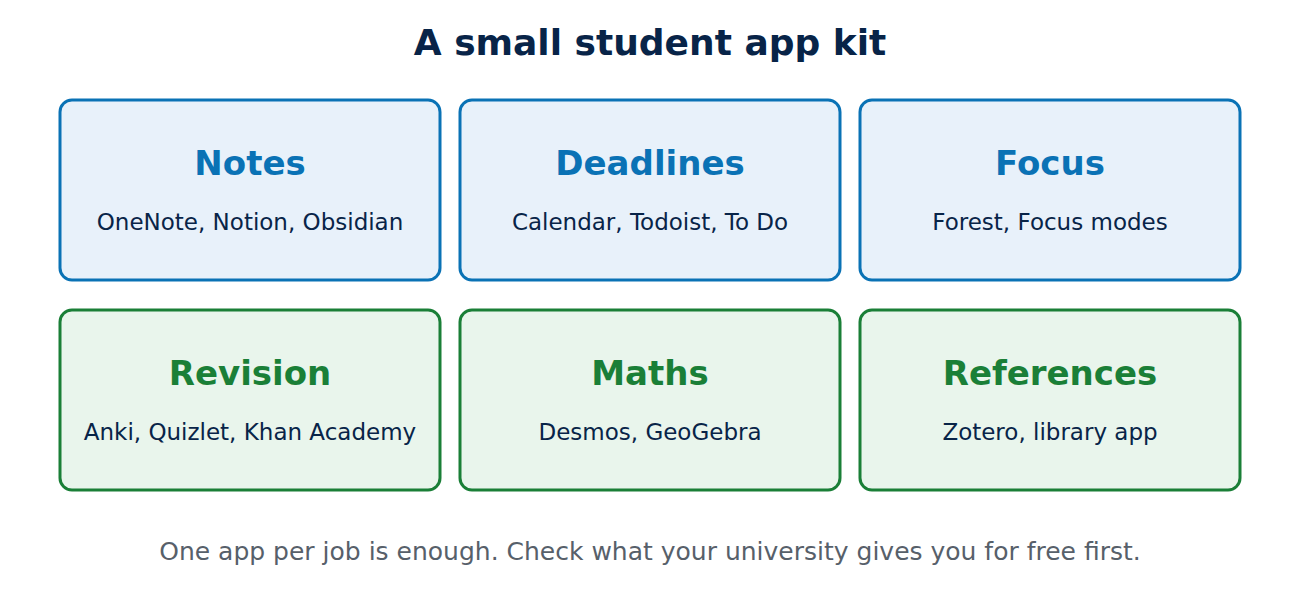
A good student setup in 2026 needs only a handful of apps: OneNote or Notion for notes, a calendar and task list for deadlines, Anki or Quizlet for revision, Zotero for references, and Desmos or GeoGebra for maths. Most of them are free, and the time they save adds up to days over a semester.
Sources and further reading
- Microsoft 365 Education for students (Microsoft)
- Zotero (official website)
- Anki (official website)
- GitHub Student Developer Pack (GitHub Education)


















Recent Comments